How to create a Staff or User ?
Introduction:
HRMS is an indigenous application which helps the Organization to accumulate and maintain the Human Resource data. This document guides how to create a staff or user in HRMS application.
Getting Started:
To access Human Resource Management System
Open an internet browser (Recommended to use Google Chrome)
Type https://my.amrita.edu/ and click enter
Login with your amrita email id and password.
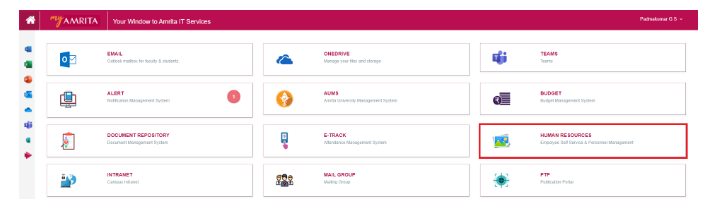
Click HUMAN RESOURCES.
How to create a Staff / User
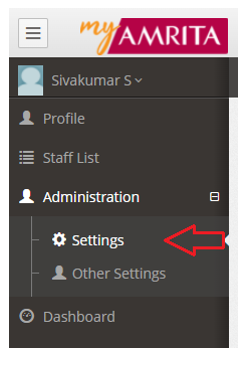
Go to Administration > Click Settings
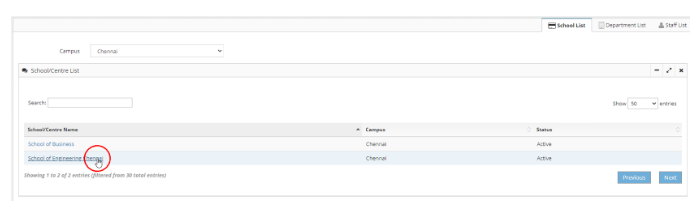
Select School
Click on the School name to open the school page under which the department needs to be created
Select Department
Click on the Department name to open the department page where the staff / user needs to be created.
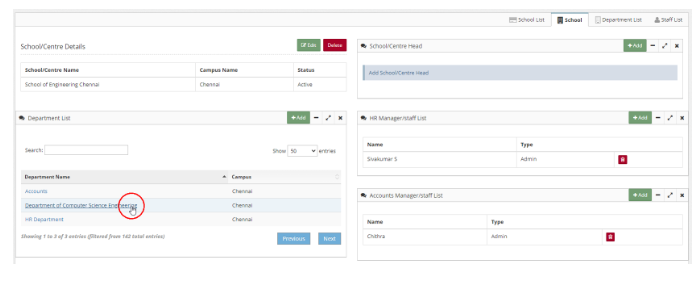
Create new Staff to a Department
Click Add button in staff list to add a staff
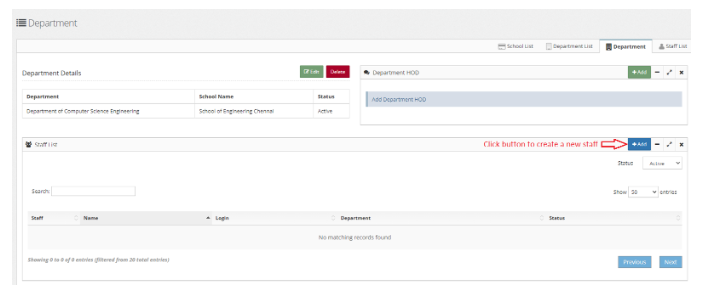
Create new staff / user
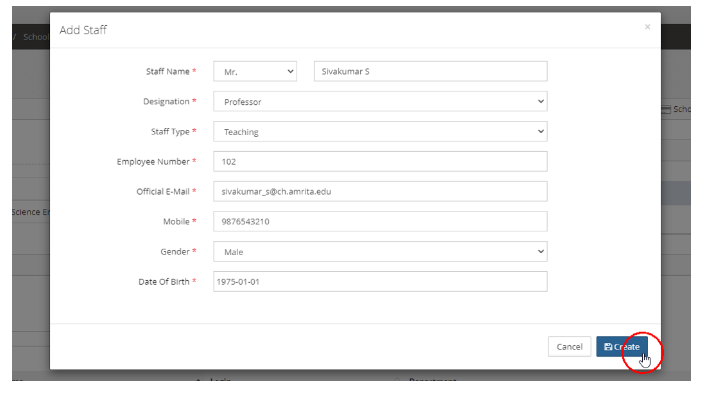
Fill up the staff details
Click Create button